 Ubi Fui
How it works
Set it up once, then forget about it.
Allow location access and get on with your day. Ubi Fui runs in the background and fills in your history as you go.
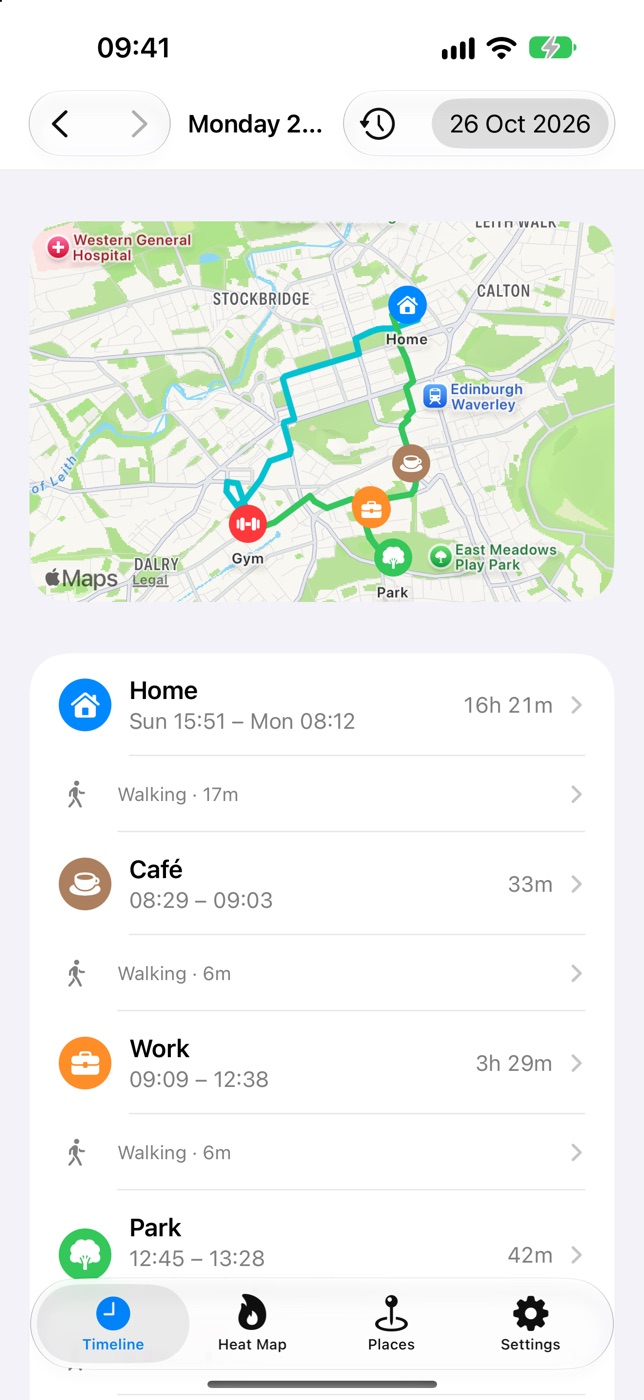
It notices your stops
Stay somewhere for five minutes and it becomes a stop on your Timeline, with when you arrived and how long you stayed.
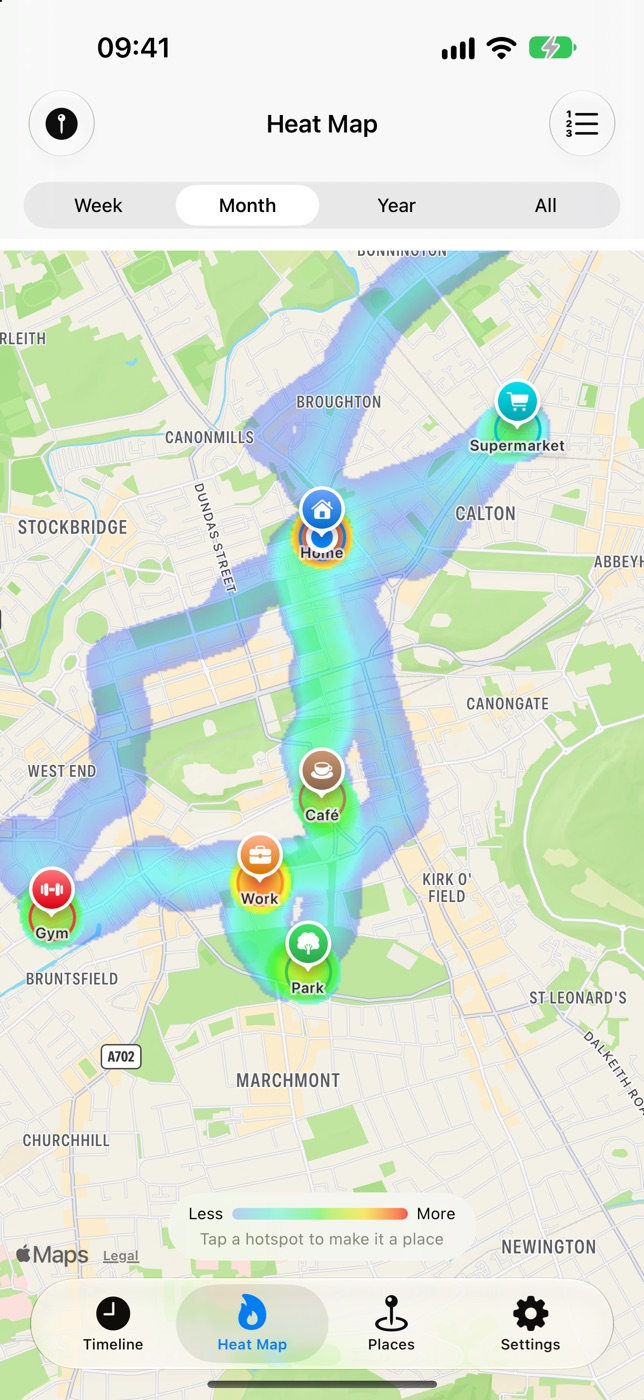
Your time, mapped
The heat map shows where you really spend your time. Tap a hotspot to turn it into a place.
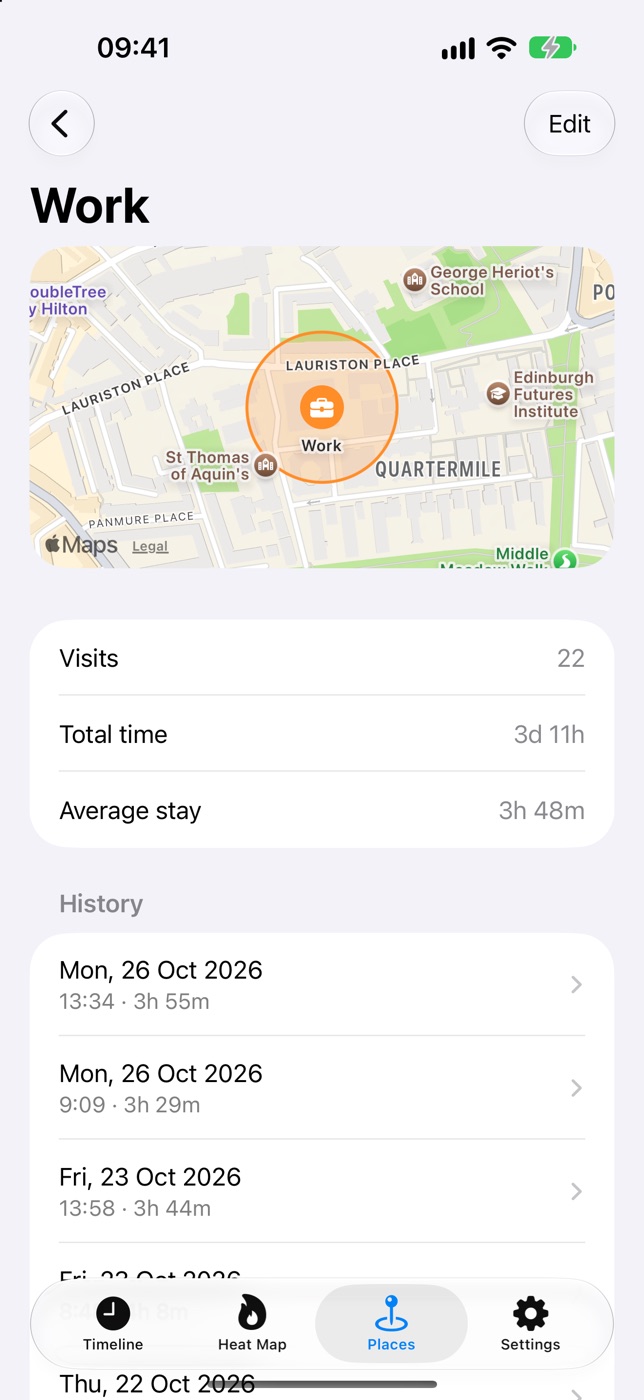
Name what matters
Home, work, the gym, a favourite café. Every past and future visit is tagged, so you can see how often you go and how long you stay.
Features
A diary that writes itself.
Everything you need to answer “where was I?”, and nothing that sends your movements to anyone else.
Timeline
Every stop of your day in order, with the route between them on a map. Swipe between days and add notes to remember what a stop was.
Where was I?
Pick any date and time and Ubi Fui tells you where you were, or that you were on the move nearby.
Heat map
See where you spend your time over a week, a month, a year or all time, and rank your hotspots.
Places
Give places a name, an icon and a colour, and adjust their size on a map. Visits are tagged automatically.
Apple Watch
See where you are and today’s stops on your wrist, tag the spot you’re standing in, or say which place a stop was.
Easy on your battery
GPS switches off while you’re stopped and iOS wakes it when you move, so Ubi Fui can run all day. Settings shows exactly when GPS was on.
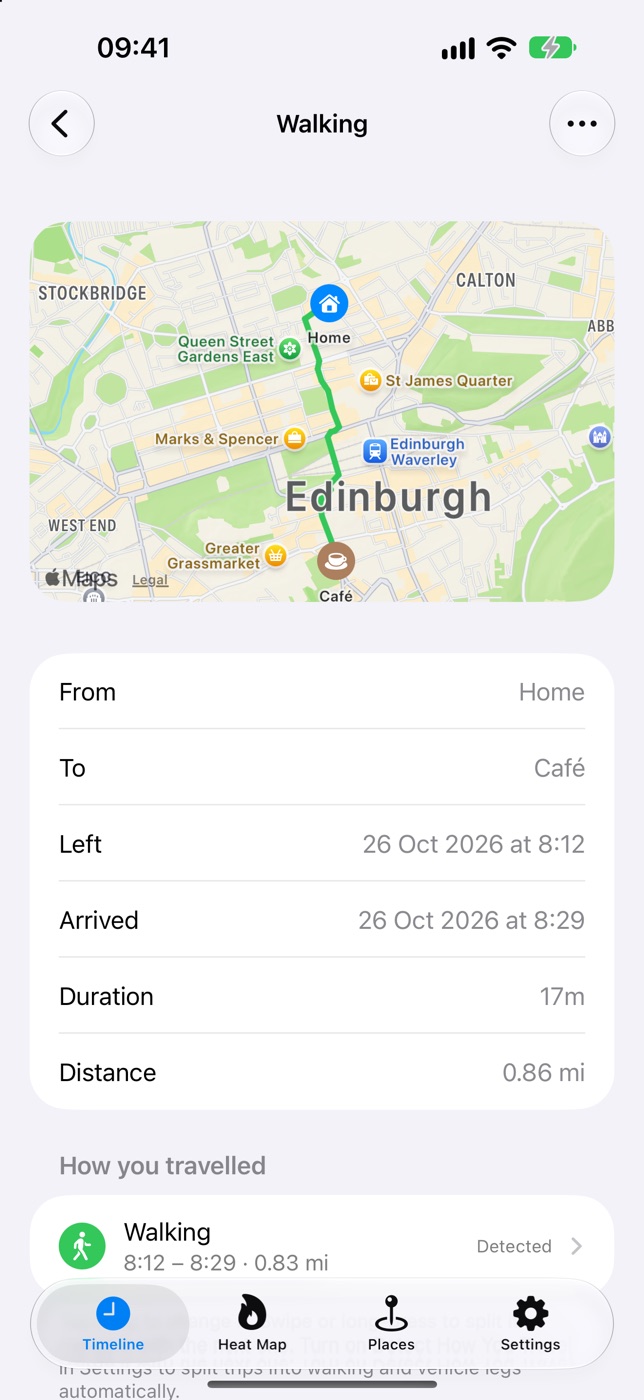
Trips
Know how you got there.
Between your stops, Ubi Fui records the trip: its route, how far and how long.
- With motion data, it tells walking, running, cycling and vehicle legs apart, and where you switched: walk, then train, then walk.
- Pick the mode yourself: car, bus, train, tram, plane, boat and more. Split a leg or merge two.
- What you choose is remembered, so the same journey next time is filled in for you.
Privacy
Your history is yours.
There are no accounts and no servers of ours. Your stops, trips and places stay on your iPhone, and if you turn on iCloud Backup, in your own iCloud. You can export everything or delete it all at any time. Read the privacy policy.